Import a bank statement
Updated 16 November 2026
General information about the rules as of 16 November 2026, not advice for your company.
On this page
You need: full access or edit access to the company.
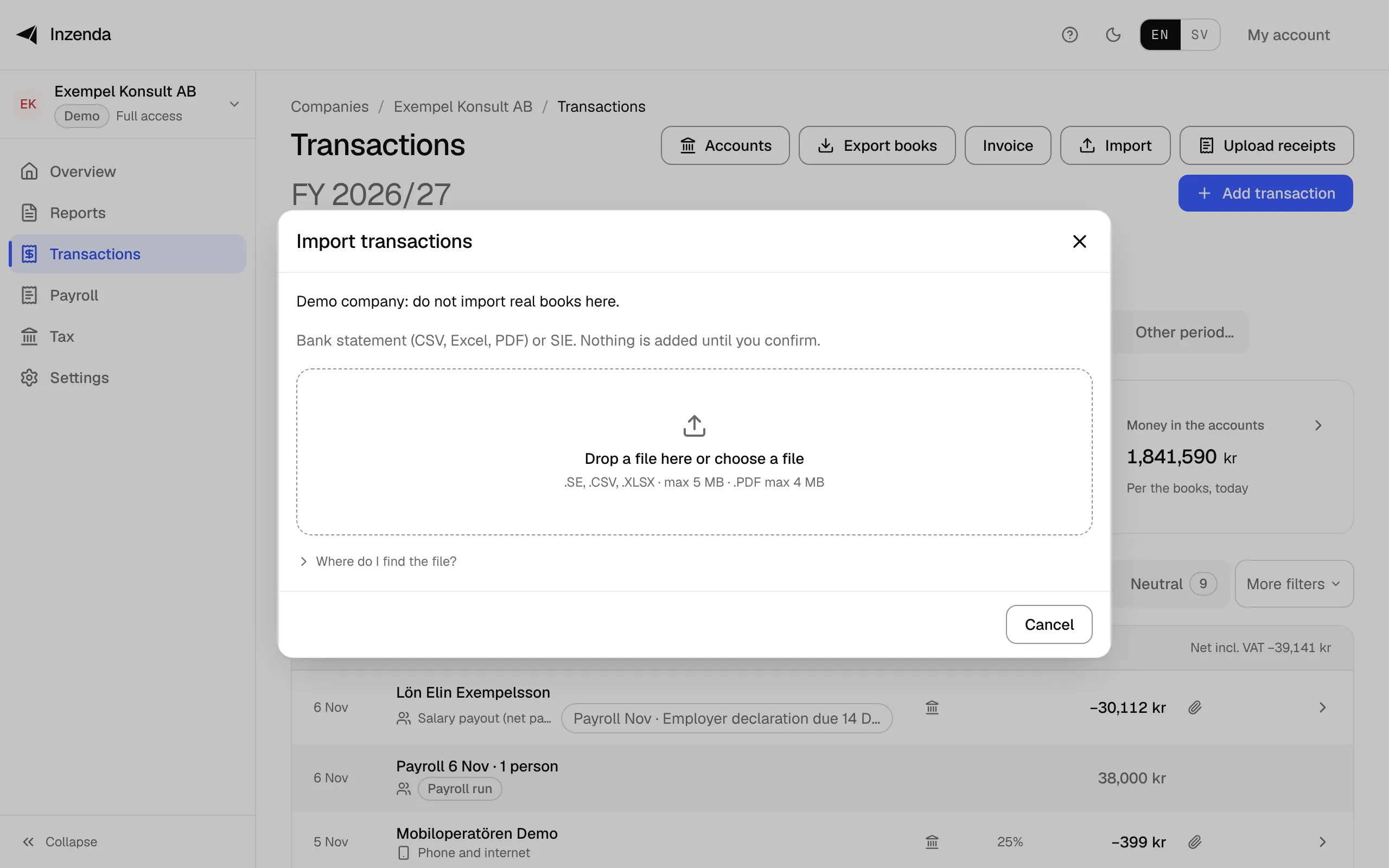
- Open Transactions and select Import.
Select Drop a file here or choose a file and choose the file, or drag the file onto it: a bank statement as CSV, Excel or PDF, or an SIE file from another bookkeeping program. Under Where do I find the file? you see how to get the file from the common banks.
- If the file is not recognised: choose what each column holds. Date and Amount are required. Select Continue.
- Go through the rows. Each row gets a category when Inzenda recognises it. The To finish filter shows the rows without one.
- Check the rows marked Possible duplicate. They are unticked. Tick one only if it really is not in the books.
- Select Add 12 transactions. The button shows how many rows are added and how many are left to finish.
- Finish the rest now or later: select Finish 3 transactions in Transactions, choose a category for each row in Finish transactions, or select Skip.
Nothing is booked until you add the rows. The file is kept as you uploaded it. The first time, Inzenda asks whether AI may suggest a category for rows it does not recognise: Turn on AI suggestions or Not now. An AI suggestion is not booked until you approve it.
Duplicates
Possible duplicate
: the row is already in the books, so it is unticked and counted as already imported. Tick it only if there really are two events.Same as the row above. Included; untick it if it is a duplicate.
: two equal rows in one file can be two real purchases.Also on another account
: the row is already on another of the company's accounts, for example a transfer. Check before you tick it.
If something goes wrong
Unsupported file. Choose .se, .csv, .xlsx or .pdf.
: export the file from the bank as CSV, Excel or PDF.File too large (max 5 MB)
: export a shorter period.The PDF is a scan with no text. Export a CSV from your bank instead.
: get the statement as CSV instead.The PDF is password protected. Export a CSV from your bank instead.
: get the statement as CSV instead.Failed to read this file
: check that it is the bank's own file, or choose the columns yourself.No transactions found in this file.
: check the period you exported.Filed period, locked
: the row belongs to a period already filed and is not imported.2 rows were rejected. The rest are imported.
: the rejected rows stay in the list with the reason. Fix them and import again.
Why
Each business event is booked once and needs a voucher (Bookkeeping Act, chapter 5). A duplicate kept, or a row skipped, changes both the books and the VAT return. The category sets the account and the box on the VAT return, so a period with rows left to finish cannot be sent until they are done.
- Riksdagen: Swedish Bookkeeping Act (1999:1078), chapter 5, sections 1 and 6, read 16 November 2026
- Skatteverket: Filling in the VAT return, read 16 November 2026
With an assistant: say “Import the bank statement and suggest categories”. How to connect an assistant
Transactions and booksCan't find the answer? Write to support@inzenda.se